
AirReceiver AirPlay Cast DLNA
softmediaVideo Players & Editors
3.793.00 Reviews
- Version
- 5.1.7
- Installs
- 100.00K
- Age Rating
- Everyone
Screenshots
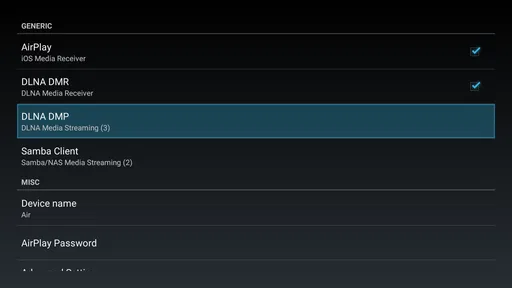
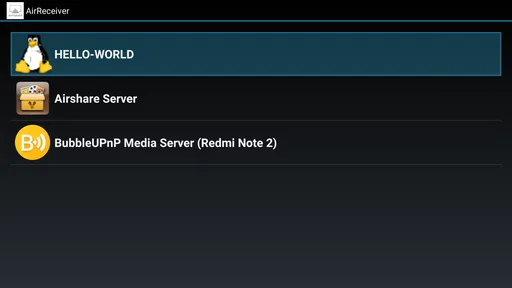
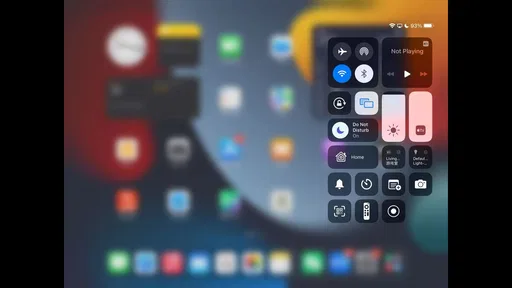
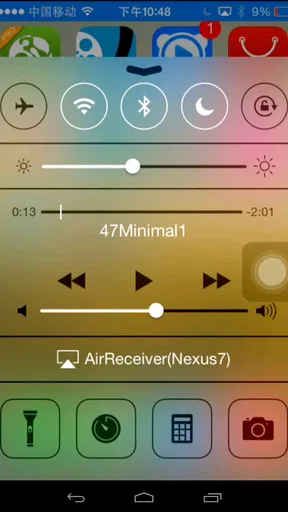
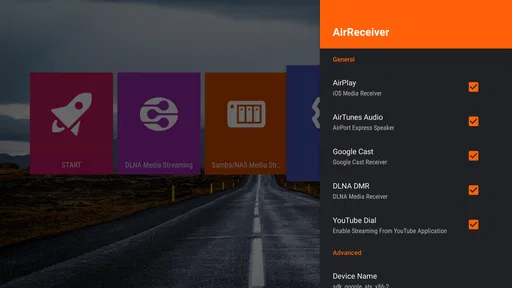
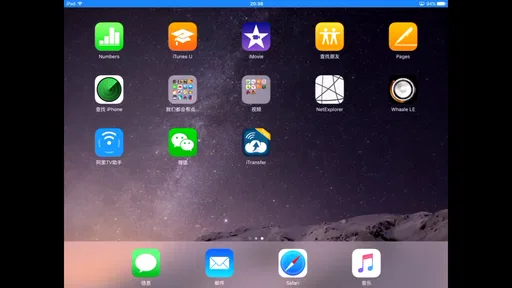
Our Review of AirReceiver AirPlay Cast DLNA
 Analysis by Appyee
When I’m choosing a screen-sharing app, I care about more than whether a video appears on a television. I also want to know whether the setup is understandable, whether someone else can use it without taking over my phone, and what happens when a connection is unreliable. AirReceiver is built around receiving streams from different kinds of devices, which can make it useful in a mixed household, but that flexibility does not remove every access barrier.
Clarity starts with the job it is meant to do
The basic idea is easy to explain: use a phone or other compatible device as the source, then send media to a receiving screen. That is a more approachable starting point than asking guests to install the same app or move their files onto another device. In a living room where people bring different phones, being able to work across more than one streaming method can save time and avoid a debate over whose device is compatible.
I would still distinguish a simple goal from a simple interface. The published experience I describe below includes a few moments of uncertainty, and anyone who finds unfamiliar settings tiring may want to test a short, low-pressure clip before relying on the app during a gathering. My practical advice is to establish the connection before guests arrive, then leave the source device ready with the photo, video, or music you plan to share.
Readable routines and shared control
For someone with low vision, the most accessible workflow may be the one that minimizes repeated navigation: choose the media on the phone, connect once, and let the television do the showing. I would avoid assuming that casting automatically makes every part of the experience easier, though. Selecting a file, recognizing connection feedback, and recovering from a dropped stream still happen through the devices involved, so screen readability and the clarity of their controls matter too.
There is a useful social benefit here: a person can show a group photos on a larger display instead of passing a phone from hand to hand. That can help when small text or detailed images are hard to see on a handset, while also letting the owner keep control of what is shown. It is not a substitute for captions, audio descriptions, or accessible controls in the media itself; those depend on the content and playback setup.
Different bodies, different rooms
Hands-free viewing is not the same as hands-free operation. A viewer with limited dexterity may appreciate that the television can carry the image while the phone stays nearby, but the initial selection and connection can still require taps and precise choices. I would prepare the stream in advance rather than expect someone to manage a new connection while also holding a conversation or moving around the room.
Sound creates another trade-off. Sending music or video to a television can make it easier for a group to listen together, yet a shared room is not always the right setting for someone who needs quiet or private audio. In that case, local playback with headphones may be a better option. The app’s value depends on the room, the user’s preferences, and whether a shared screen or shared sound actually improves the situation.
When the room or network gets in the way
A realistic use is a family evening: one person has travel photos on a phone, relatives are seated across the room, and the group wants to look at them together. I would connect before everyone settles in, check that the first image appears, and keep the phone within reach in case the stream needs attention. That small bit of preparation matters because an unexpected interruption can be more frustrating when several people are waiting.
For a meeting or lesson, the same receiver-style approach can help someone show a visual without passing around a device. But if the material contains sensitive information, I would be cautious about using a shared display in a public or mixed audience setting. Casting makes content visible on a larger screen; it does not decide who should see it. A quick check of the selected item and the room is a sensible habit before starting.
Who benefits, and who may prefer another route
I see the strongest fit for people who regularly move media between phones and a television, especially where Apple and non-Apple devices share the same space. It is less compelling if you only need to play files from one phone on one familiar screen and that device’s built-in casting already works reliably. In that situation, the default option may be easier because it avoids paying for and learning a separate receiver app.
Compared with a dedicated streaming device’s own apps, a receiver can be convenient when the content is already on someone’s phone. The trade-off is that the phone remains part of the workflow, and a receiving app cannot make every source app behave the same way. If a particular service is central to your routine, I would first try its native television app or its built-in casting route. For personal files and casual sharing across devices, a receiver may be the more flexible tool.
AirReceiver is a paid video player and editor app from softmedia, priced at $2.99, with an Everyone age rating. It has a 3.7 average from around 789 ratings, and has been installed over 100,000 times. Those figures suggest an established niche rather than a universal solution; I would weigh the price against how often I actually share media this way, not against the promise of supporting several protocols.
Its version 5.1.7 is listed for devices running Android 5.0 or later. That gives older Android hardware a possible route to use it, but compatibility of the receiving device and the network still matters in practice. I would confirm that the intended screen can receive the chosen stream before planning an important presentation or event around it.
Living with AirReceiver in everyday use
Ever thought about streaming your favorite content from your phone directly to your big screen without any fuss? Well, I recently stumbled upon AirReceiver AirPlay Cast DLNA, and let me tell you, it might just be the answer to our streaming dreams. Whether you’re an Android or iOS user, this app promises to make your streaming life a lot easier.
What’s the Buzz About?
So, you might be thinking, what’s so special about AirReceiver AirPlay Cast DLNA? Picture this: you’ve got a bunch of photos and videos on your phone, and a group of friends over. Instead of huddling around a tiny screen, you can effortlessly cast everything to your TV. This app supports AirPlay and DLNA, making it super versatile for both Apple and non-Apple devices. It’s like having a tech-savvy middleman that makes sure everyone gets along.
Setting It Up
First things first, getting started is a breeze. Download the app from your device’s app store, and you’re almost there. Once installed, the app runs smoothly in the background, ready to connect with your TV. It’s compatible with a range of devices and TVs, so chances are, you’re covered. I tried it with my Android phone and an Apple TV, and the connection was seamless.
Features You’ll Love
Now, let’s dive into the features. One of the standout perks is the support for AirPlay. If you’re an Apple fan, you’ll know how handy this can be for mirroring your screen or streaming music and videos. But don’t worry, Android folks, the DLNA support ensures you’re not left out. This app acts like a bridge between your device and your TV, ensuring smooth communication.
Another feature worth mentioning is the audio streaming capability. You can play music directly from your phone to your TV’s speakers. It’s perfect for house parties or just chilling at home with some tunes. Plus, the app supports multiple formats, so you don’t have to worry about compatibility issues.
Real-Life Test Drive
Alright, let’s talk about my experience using the app. I decided to test it during a movie night with friends. After a quick setup, I was able to stream a movie from my phone to the TV without a hitch. The video quality was crisp, and there was no noticeable lag, which is a huge plus in my book. The app handled everything like a pro, and I didn’t have to fumble with any complex settings.
Switching between photos and videos was just as smooth. I was impressed by how quickly the app responded to commands. It’s like having a personal assistant dedicated to ensuring your media is always ready for the big screen.
Room for Improvement
Now, no app is perfect, and AirReceiver AirPlay Cast DLNA is no exception. While it’s fantastic at what it does, there were times when the connection dropped unexpectedly. It didn’t happen often, but it’s something to keep in mind. A quick restart usually solved the issue, so it wasn’t a deal-breaker for me.
Also, the app could benefit from a more intuitive user interface. It’s not overly complicated, but a cleaner design would enhance the user experience. However, these are minor gripes, and overall, the app delivers on its promises.
Final Thoughts
In conclusion, if you’re looking for a reliable way to stream content from your phone to your TV, AirReceiver is worth checking out. It bridges the gap between different devices effortlessly, and its performance during my tests was impressive. Sure, there are a few hiccups here and there, but nothing that significantly detracts from its overall utility.
So, next time you’re planning a movie night or want to show off your latest travel photos, give this app a whirl. You might just find it becomes an essential part of your streaming toolkit. Happy casting!
A practical choice, with sensible expectations
What I would tell a friend is to treat this as a useful bridge, not a cure-all for every compatibility problem. Its appeal is strongest when different people bring different devices and the goal is to share ordinary media on a larger screen. If your priority is a polished, highly guided experience for one specific streaming service, a native app on the television may be the calmer choice.
For an inclusive setup, I would make the first connection while there is time to troubleshoot, keep the source device accessible to the person operating it, and check whether the screen and sound suit everyone in the room. That routine does not add features the app does not have; it simply reduces avoidable friction. With those expectations, I find AirReceiver worth considering for mixed-device households, while people who need consistently simple controls or a guaranteed uninterrupted presentation should test their exact setup before depending on it.
Verdict
Strengths of AirReceiver AirPlay Cast DLNA
- Seamless AirPlay support for easy streaming.
- Compatible with multiple devices and platforms.
- User-friendly interface with simple setup.
- Stable connection with minimal lag or buffering.
- Supports a wide range of media formats.
Limitations of AirReceiver AirPlay Cast DLNA
- Limited free features; premium purchase needed.
- Occasional connectivity issues with older devices.
- No native support for 4K streaming.
- Some features require manual configuration.
- Interface design feels outdated.
Similar Picks in This Category
View All
Google TV
Google LLC3.9

iTunes
Apple4.7

YouTube
Google LLC3.8

MX Player
Amazon Mobile LLC4.2

CapCut - Video Editor
Bytedance Pte. Ltd.3.5

PLAYit-All in One Video Player
PLAYIT TECHNOLOGY PTE. LTD.4.5
Frequently Asked Questions
What is AirReceiver AirPlay Cast DLNA used for?
AirReceiver AirPlay Cast DLNA is a versatile app that allows users to stream media from their iOS devices to various platforms using AirPlay, Cast, and DLNA protocols. It transforms your Android device into a receiver, enabling seamless sharing of music, videos, and photos across different devices and networks.
Is AirReceiver compatible with all devices?
AirReceiver is primarily designed for Android devices and works well with most Android TVs, tablets, and smartphones. However, compatibility may vary depending on the specific model and version of the Android operating system. It's advisable to check the app’s requirements and your device specifications before downloading.
Does AirReceiver support high-definition streaming?
Yes, AirReceiver supports high-definition (HD) streaming, allowing users to enjoy their media content in great quality. It can handle various resolutions and formats, ensuring that your viewing experience is as crisp and clear as possible, depending on the source media and network quality.
Is there any setup required to use AirReceiver?
Setting up AirReceiver is straightforward. After installing the app, you need to ensure that both the sending and receiving devices are connected to the same Wi-Fi network. The app will automatically detect compatible devices, and you can begin streaming with a few simple steps. Detailed instructions are available within the app.
Are there any privacy concerns with using AirReceiver?
While AirReceiver requires network access to stream content, it does not store or share any personal data. It's essential to use a secure Wi-Fi network to protect your media from unauthorized access. Always review the app’s privacy policy and permissions to understand how your data is handled.
